Bangalore first
humans first, always

The HUFA app

One sentence, one Hufer, two PINs.

You write what you need and a starting price. A Hufer nearby accepts. You agree the final price on a call or chat, give the Start PIN at the door and the End PIN when it is done, then pay in the app.

Sign up and a person from HUFA calls you and sets you up with the app.
The flow

Four screens from the sentence to the payment.

The same flow on both sides. The requester posts and pays. The Hufer accepts and does the work.

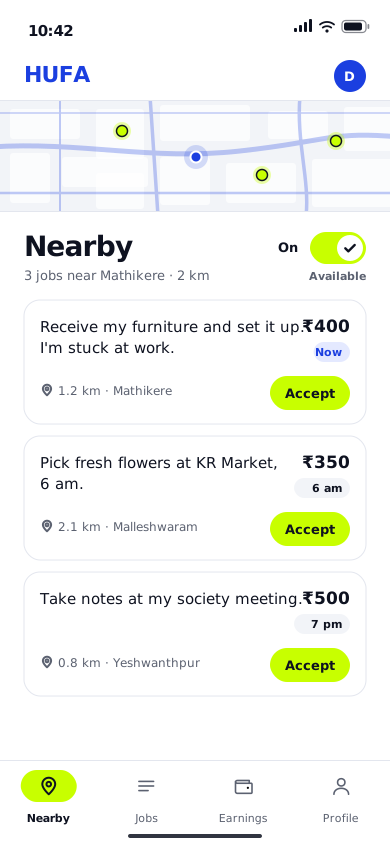
  1. Post a job screen Nearby jobs screen
    Post a job See the jobs near you

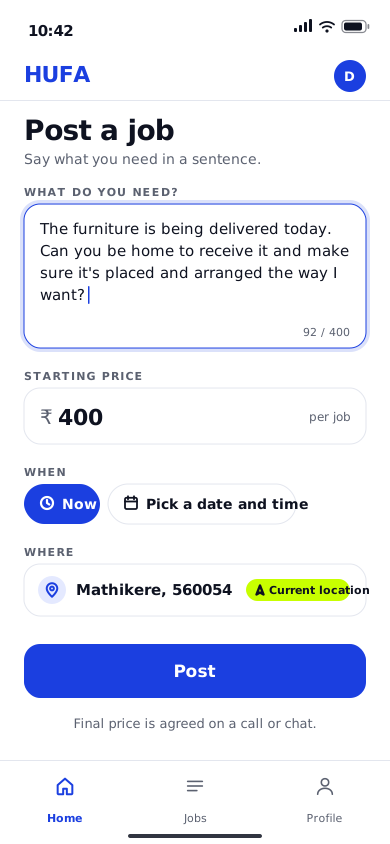
    Write what you need in a sentence and put a starting price on it.

    See the jobs posted near you, in the requester's own words, with the starting price.

  2. A Hufer accepts the job Accept the job
    A Hufer accepts

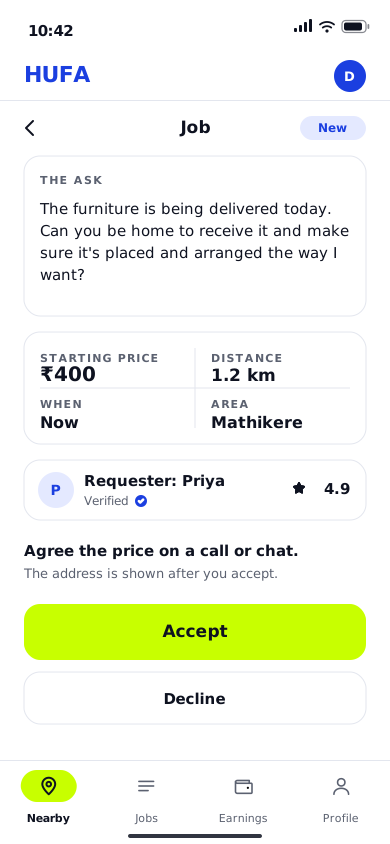
    A Hufer nearby accepts. You agree the final price on a call or chat.

    One tap to accept, only if you want it. Agree the final price on a call or chat.

  3. Start PIN and End PIN screen Start PIN and End PIN screen
    Start PIN, End PIN

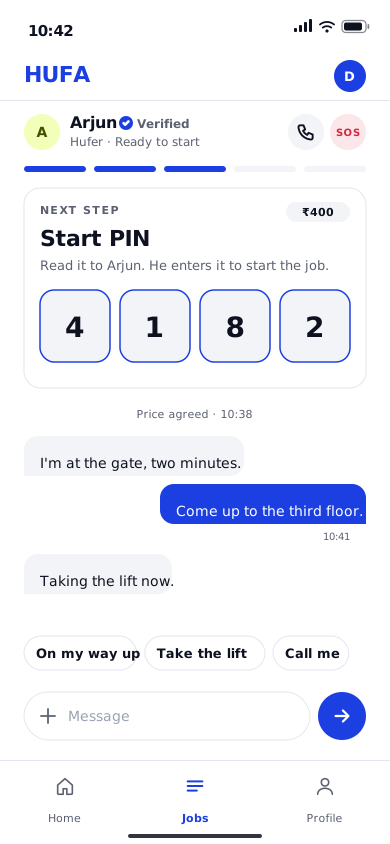
    Four digits to start the job, four to close it. Both are yours to give.

    Take the Start PIN at the door and the End PIN when the work is done.

  4. Paid screen Paid screen
    Pay in the app

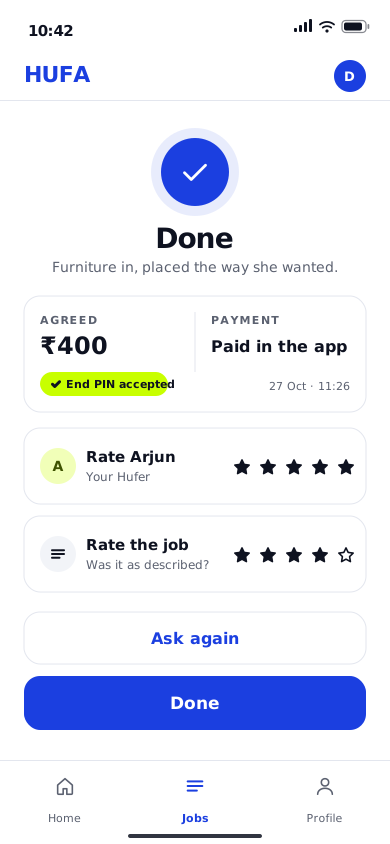
    You pay in the app after the End PIN, at the price you agreed. Then you rate each other.

    You are paid in the app after the End PIN, at the price you agreed. Then you rate each other.

What the app does

One app, two sides.

One account. You switch sides on your profile.

For a requester

Ask for anything in a sentence.

  • Post a job as a sentence with a starting price. No categories.
  • Now, or pick a date and time.
  • See the Hufer who accepted, verified before their first job.
  • Call or chat to agree the job and the final price.
  • Your Start PIN and End PIN, four digits each.
  • Pay in the app after the End PIN. Nothing is charged before.
  • SOS and a report button on every job.

For a Hufer

Take the jobs you want, near you.

  • A board of jobs near you, in the requester's own words.
  • Set how far you will go and your lowest price. The board follows it.
  • Accept with one tap. The address comes after you accept.
  • Call or chat to agree the final price before you set out.
  • Enter the Start PIN at the door and the End PIN at the end.
  • Paid in the app after the End PIN. Your earnings in one place.
  • Switch Available off when you are busy.

Get the app.

Sign up and a person from HUFA calls you and sets you up with the app.
Need something done?

Write it in one sentence. A person from HUFA calls you.